This month's tutorial is here ✨ It's on **achieving a painterly style in Procreate!** I feel like a painterly style is defined by so much more than just which brushes you use, and it can be hard to pull it off without things becoming a chaotic mess. In this video, I talk about which different design elements are needed for a painterly style, the new brush library in Procreate, and I run you through a step-by-step process for rendering in a painterly style!

The main brushes I use in this video are:
- The [MaCaLabs HB pencil brush](http://cbr.sh/sy52xh?ref=loish) for the initial sketch (there's also a [Photoshop version](http://cbr.sh/fg8up?ref=loish))
- The hard round brush from [my own brush set](https://loish.school/download/) for blending and painting
- I also reference the natural & earthy Procreate palette from [Loish's Digital Art School](https://loish.school/download/).

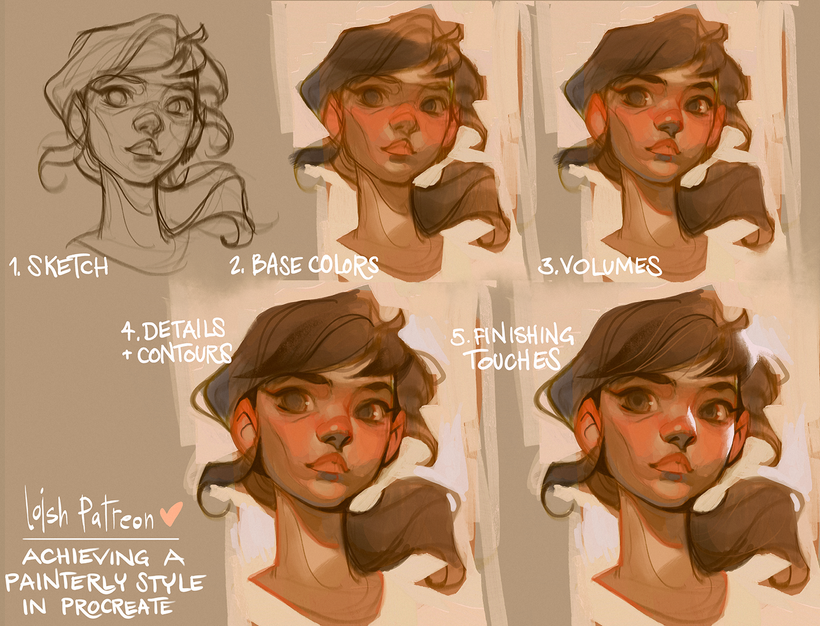
Here's the artwork I made in the demo:

Here are some additional tutorials I've made in the past that would be a great supplement to this one:
- [Avoiding muddy colors](https://www.patreon.com/posts/138122641?collection=96265): This tutorial talks about how you can choose and blend your colors in a way that keeps them vibrant - especially with neutral, earthy tones.
- [Creating vibrant skintones](https://www.patreon.com/posts/55315596?collection=96265): This video is about how you can keep your skintones vibrant, and talks about how you can make color choices depending on different skin colors.
- [Finalizing without over-rendering](https://www.patreon.com/posts/62987609?collection=96265): In this tutorial, I explain how you can add details to your paintings without bogging down the expressiveness of it.

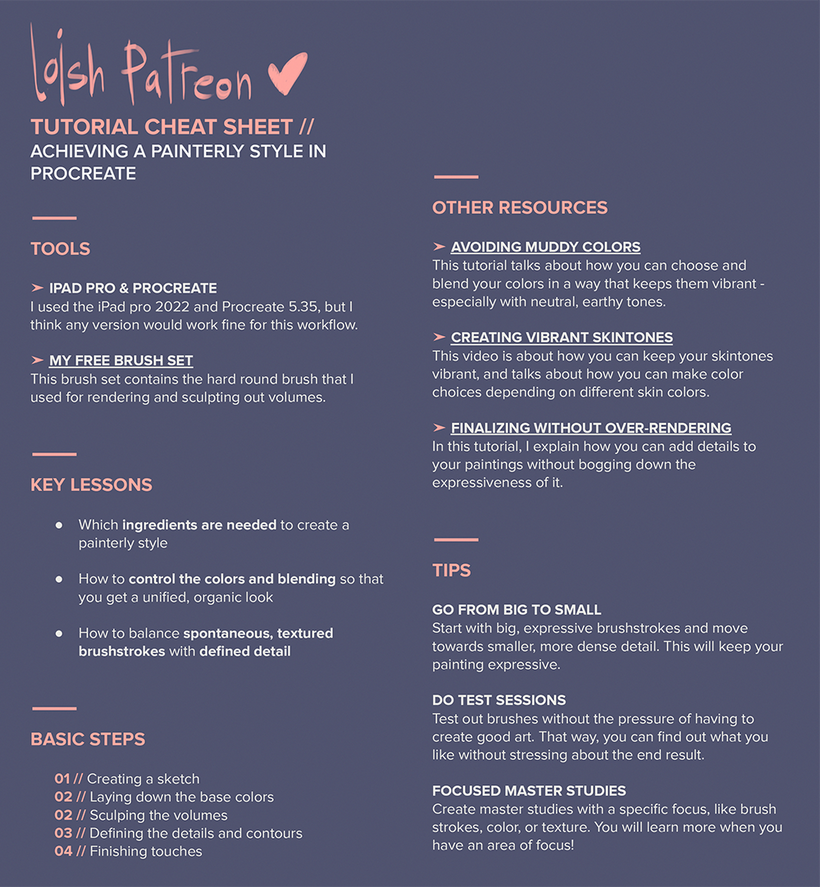
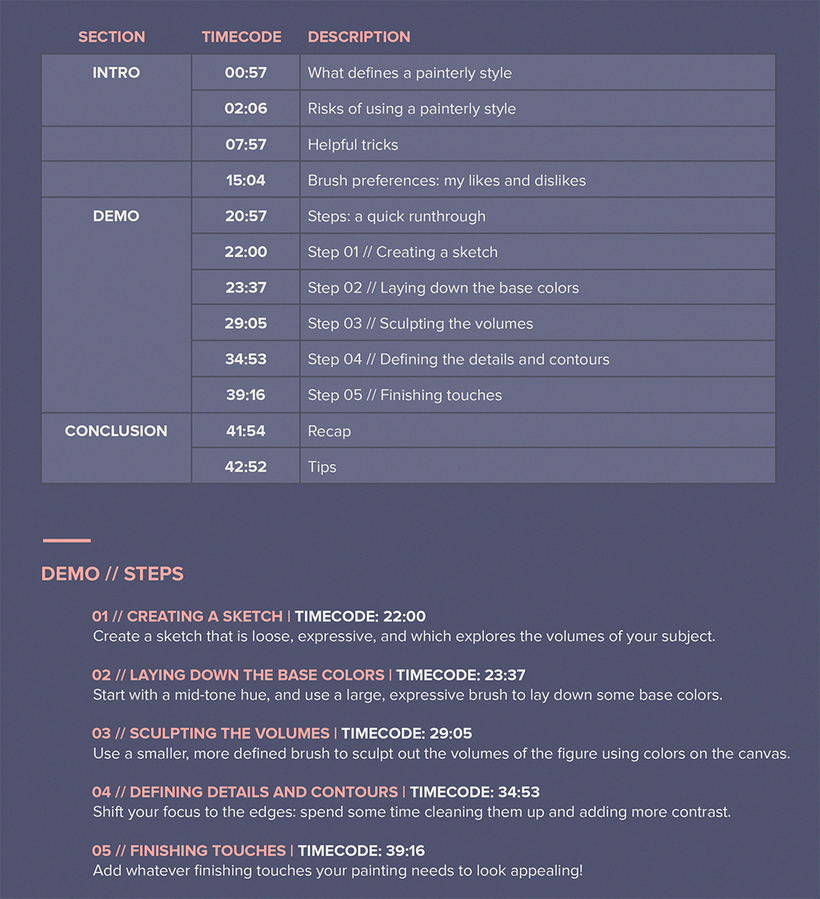
Here's a cheat sheet with the most important information from the video - you can also find a PDF version with clickable links attached to this post!

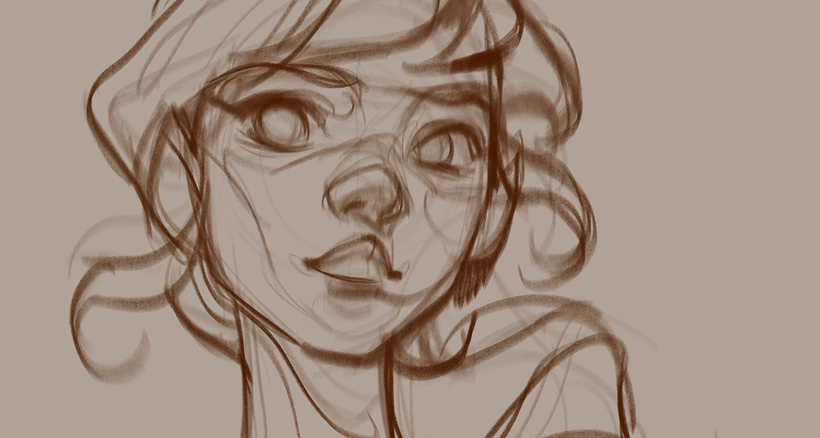
I also want to share my initial sketch with you! That way, you can draw along and try the techniques on my sketch. You can find the.PSD file as an attachment at the bottom of this post!

I hope you enjoy this video! Feel free to share any future tutorial suggestions in the #tutorial-suggestions channel in the discord server (If you don't know how to join, just follow the steps outlined [here](https://support.patreon.com/hc/en-us/articles/212052266-Getting-Discord-access)) or leave them in a comment below ❤
---
Attachments[2511\_cheatsheet\_painterly style in procreate.pdf](https://www.patreon.com/file?h=143240324&m=563215521)
[
loish\_painterly\_tutorial\_lines.psd
](https://www.patreon.com/file?h=143240324&m=563215550)
In collection[63](https://www.patreon.com/loish/posts/tutorial-style-143240324)
---
## 63 comments
Cami
3mo
Hi Loish, I love this video since procreate is what i tend to use the most. This comment is super late to the post, but about what you mentioned regarding the transparent effect for the "Mintbrush" brush, if you change the settings for it in the "Rendering" section from "Intense Glaze" to "Intense Blending" it will make the brush not have that transparent glazy effect and you will be able to lower the opacity and still reach full opacity with pen pressure.
Sharon Tu
5mo
Hi Loish, How do I get the free brush set you offered? The hard round brush? Thank you.
Li
10mo
this new platypus brush from the latest updates got me so excited to paint in a painterly style again using procreate. brushes certainly don't solve everything but i think the way a brush works can make it or break it, and that's one of the reasons why we have software preferences. with traditional media, it's intuitive because you can (with a single brush) twist and bend and move your arms and create different shapes, texture. you can achieve different effects just by using the tip of the brush with a different angle, whereas in digital mediums, exploring like this is not that intuitive, IMHO. you might need 2 to 5 different brushes to achieve the same effects. one thing Loish does that I also love doing to compensate for this is the paint/erase technique in which you 'reshape' the stroke, it's amazing what you can do with a round brush. but new brushes like platypus incorporate a bit of the actual movement of your arms depending on how you angle and bend the Apple Pencil. most 'oil' brushes before this update worked merely as a dragging stamp, they looked rather flat.
Watch the videos you love from anywhere.